Create quotes with AI: 6 steps to an agent
By Philipp Kant 4 min read
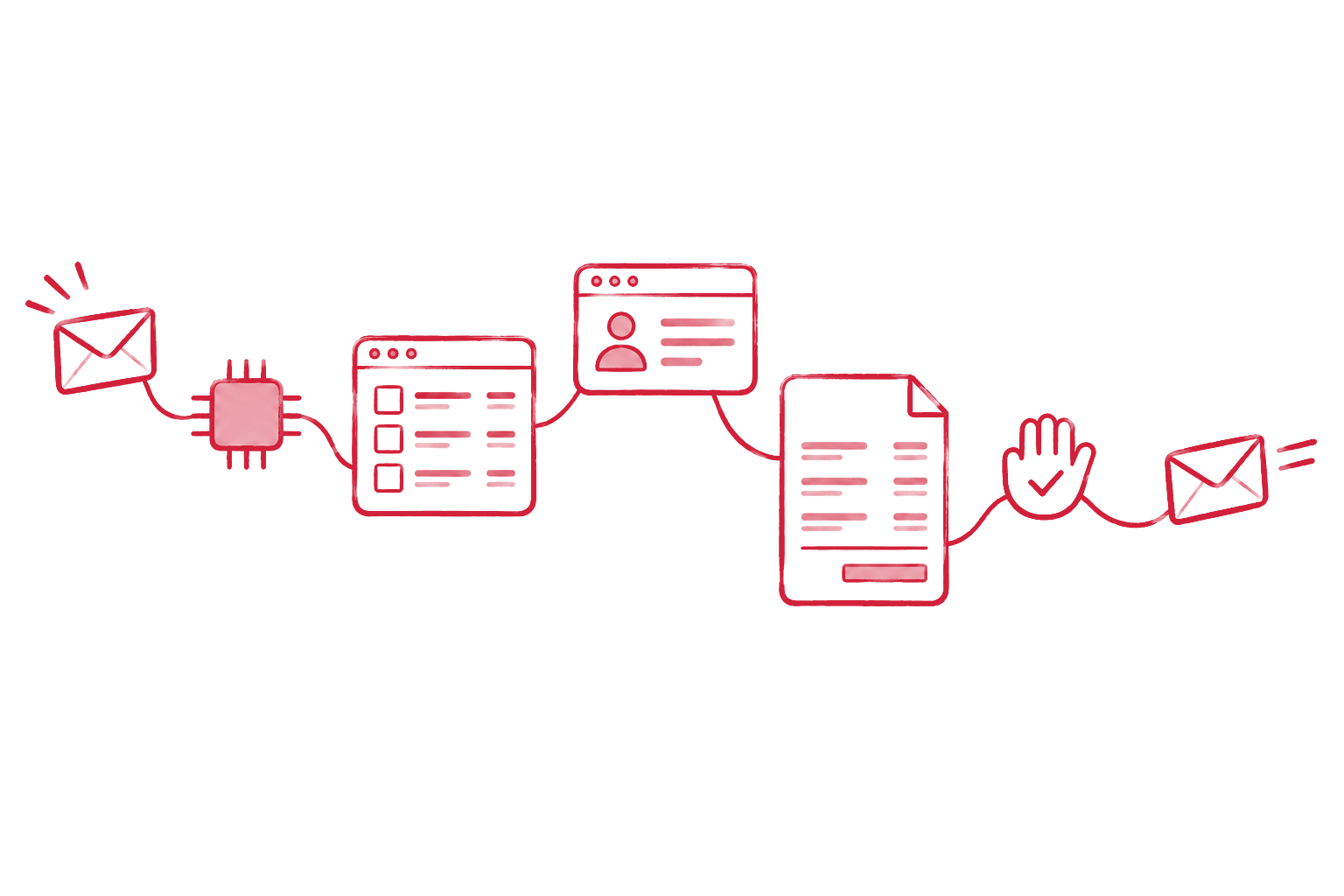
Creating quotes with AI means: an AI agent reads a customer inquiry from an email, form, or PDF, finds the items meant, pulls prices, the customer’s discount, and stock from CRM and ERP, creates the quote, and drafts the reply. A person checks it and approves sending. The quote is created where it belongs: in the ERP, not in a chat window.
Where the time on quotes goes
Typing a quote rarely takes long. The time sits in the steps before it:
- Reading: What does the customer want, how many, by when?
- Matching: The customer writes “ball valves DN25”, the ERP knows an item number. Someone has to connect the two.
- Looking up: Which price applies, which discount, which tier?
- Checking: Can the goods ship in time?
- Replying: Quote as a PDF, a friendly email, send.
Every step jumps between inbox, CRM, ERP, and stock list. That jumping is what an agent takes over.
What the agent does and what stays with a person
| Step | AI agent | Person |
|---|---|---|
| Read the inquiry | Extract quantities, items, date, PO number | Only when unclear |
| Match items | Map the customer’s words to item numbers | Confirm new terms |
| Price and discount | Pull from ERP or CRM by interface | Approve special prices |
| Availability | Check stock and incoming supply | Decide shortages |
| Quote and email | Create the quote in the ERP, draft the reply with the PDF | Check and send |
The rule behind it: the agent does not guess. When it cannot match an item with certainty, it asks, the team or the customer.
What this looks like in our live demo
Our home page runs the example “Quote from an inquiry” with an invented company: a customer emails for 200 DN25 ball valves and 400 gaskets by calendar week 48. The agent extracts quantities and date, pulls customer, discount, and stock through the CRM and ERP interfaces, creates the quote with an 8 % customer discount, checks that the goods ship in week 47, and drafts the reply with the quote as a PDF. The team approves sending. See it here: live demo on the home page.
Introduce AI quotes in 6 steps
- One inbox for inquiries. One mailbox or form the agent reads. Inquiries spread across five personal inboxes stay invisible to it.
- Clean up item data. The agent finds items by number, name, attributes, and customer terms. The better descriptions and attributes are kept, the less often it has to ask.
- Prices and discounts by interface. The agent reads them from the ERP, not from a spreadsheet three versions old.
- Rules for when it asks. Unknown item, special price, large quantity, requested date not possible: then the inquiry goes to the team with a proposal.
- Approval before sending. No quote leaves the house without a person’s click. Later, approval can be relaxed for clear cases.
- Test with old inquiries. Replay real inquiries from recent months and compare what the agent would have quoted with what your team sent. Only then does it go live.
Why ChatGPT alone does not write quotes
A chat window can summarize an email and phrase a reply. But it knows neither your prices nor your discounts nor your stock. What it does not know, it may invent, and an invented price in a quote can get expensive. How to prevent that is in prevent AI hallucinations.
The big systems now build this in themselves. HubSpot lists AI-assisted quotes in Professional, Salesforce lists quoting in the Pro Suite. Microsoft describes a sales order agent for Business Central that monitors a mailbox, finds customer and items, checks availability, and prepares a quote as a PDF; a person approves every outgoing email (Microsoft Learn, as of November 16, 2026). That works when prices, items, and customers live in that one system. When they are spread across shop, ERP, CRM, and PIM, the agent needs the interfaces between them. The systems are compared in HubSpot vs Salesforce and Dynamics 365 vs Business Central.
What a quoting agent costs
We build AI agents for business at a fixed price of €4.5k to €45k, in production in 2 to 10 weeks, connected to your ERP and CRM, with approval before sending. Try how an agent reads an inquiry first with the AI Inbox Triage: paste an email, see intent, data, and a reply draft.
FAQ
Can AI write quotes entirely on its own? Technically yes, but not at the start. The agent prepares the quote in full, and a person approves sending. For clear standard cases the approval can be relaxed later.
What data does a quoting agent need? Customers with their terms, items with well-kept names and attributes, prices, and stock. All by interface from the systems that hold them today.
Does this work with PDF inquiries and forms too? Yes. The agent reads emails, PDF or image attachments, and forms. What it cannot read with certainty, it hands to the team.
Do I need a new ERP for this? No. The agent works with the ERP and CRM you have, through their interfaces. Where there are none, it operates the user interface like a person.
Ask an AI about this post
