CRM vs ERP: the difference, simply explained
By Philipp Kant 3 min read
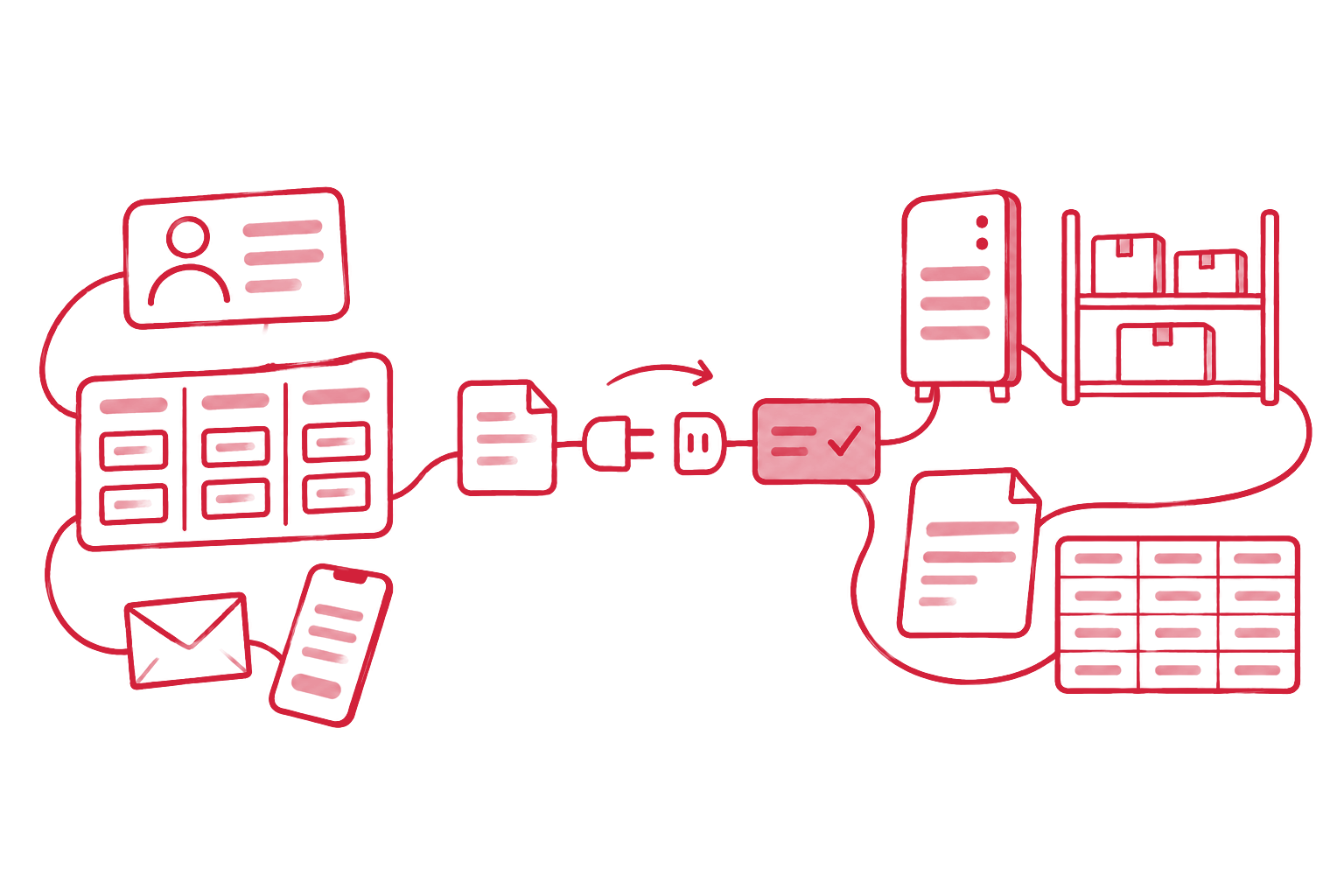
A CRM (customer relationship management) is software for customers and sales: contacts, inquiries, opportunities, and communication. An ERP (enterprise resource planning) is software for a company’s operations: items, purchasing, stock, orders, invoices, and accounting. In short: the CRM brings the order in, the ERP fulfils it.
CRM and ERP compared
| Criterion | CRM | ERP |
|---|---|---|
| Purpose | Win and keep customers | Fulfil orders, plan resources |
| Main users | Sales, marketing, service | Purchasing, warehouse, accounting, management |
| Core data | Contacts, deals, activities, emails | Items, prices, stock, orders, invoices |
| Timing | Before the order | From the order on |
| Typical question | Whom do we call today? | What do we ship tomorrow? |
| Examples | HubSpot, Salesforce, Pipedrive, Dynamics 365 Sales | SAP Business One, Business Central, Odoo, JTL, Xentral |
What a CRM does
A CRM collects everything sales knows about a customer: who the contact is, what they asked for, which emails went back and forth, which deal sits in which stage. It plans the next step, reminds you of callbacks, and shows the pipeline. Many CRMs add marketing, such as newsletters, forms, and campaigns.
How the best-known CRMs differ is in HubSpot vs Pipedrive and HubSpot vs Salesforce.
What an ERP does
An ERP runs the operations behind the sale: items and prices, purchasing from suppliers, stock in the warehouse, orders, delivery notes, invoices, and accounting or the handover to it. It is the system that records what was sold, shipped, and paid.
For an overview of ERPs for mid-sized companies, see Odoo vs SAP Business One, Dynamics 365 vs Business Central, and, for online retailers, JTL vs Xentral vs Billbee.
Which system you need
| Your situation | Recommendation |
|---|---|
| Few customers, projects, invoices from an accounting tool | A CRM alone, often a free one is enough |
| Trade with a warehouse, little active selling | An ERP alone, sales runs inside it |
| Your own sales team and your own order processing | CRM and ERP, connected |
| Everything from one vendor | A suite with CRM and ERP, such as Odoo |
Many ERPs handle contacts, quotes, and orders, but no full sales pipeline. Many CRMs handle quotes, but no warehouse and no accounting. The line shifts, the split stays: before the order CRM, from the order on ERP.
Connecting CRM and ERP: who owns which field
Once both systems run, they share data: customers, contacts, items, prices, quotes, orders, open items. Without a connection, someone types it twice, and soon the addresses in the two systems no longer match. The rule for every connection:
| Data | Owning system | Direction |
|---|---|---|
| Leads, contacts, activities | CRM | CRM to ERP once an order arrives |
| Customer number, payment terms | ERP | ERP to CRM |
| Items, prices, stock | ERP | ERP to CRM |
| Quotes | CRM or ERP, but only one | Depends on the process |
| Orders, invoices, open items | ERP | ERP to CRM, read-only |
What such a connection costs and where the hidden costs sit is in the hidden costs of CRM/ERP integrations.
We deliver CRM and ERP integration at a fixed price, for HubSpot, Salesforce, Pipedrive, and your ERP. What becomes possible afterwards is shown in the live demo on our home page: an AI agent turns an inquiry into a quote, with data from CRM and ERP.
FAQ
Is an ERP a CRM? No. Many ERPs have contacts and quotes, but a CRM is built for sales and customer relationships: pipeline, activities, emails, marketing. An ERP is built for orders, stock, and invoices.
Which comes first, CRM or ERP? It depends on where the bottleneck is. If you lose inquiries, you need a CRM first. If stock, orders, and invoices are out of hand, you need an ERP first.
Is there CRM and ERP in one? Yes, suites like Odoo have both. Microsoft sells Dynamics 365 Sales and Business Central as two products from one family that can be connected.
Where do prices belong, in the CRM or the ERP? In the ERP. The CRM reads them from there, so quotes use the same prices as the invoice.
Ask an AI about this post
